Work chat that stays at work
Message one person, a group, your whole department or everyone on tonight's shift, without sharing personal phone numbers. Post announcements people confirm they've read, and see who hasn't.
In every plan, starting with Basic • Web and free iOS and Android apps • No per-message fees
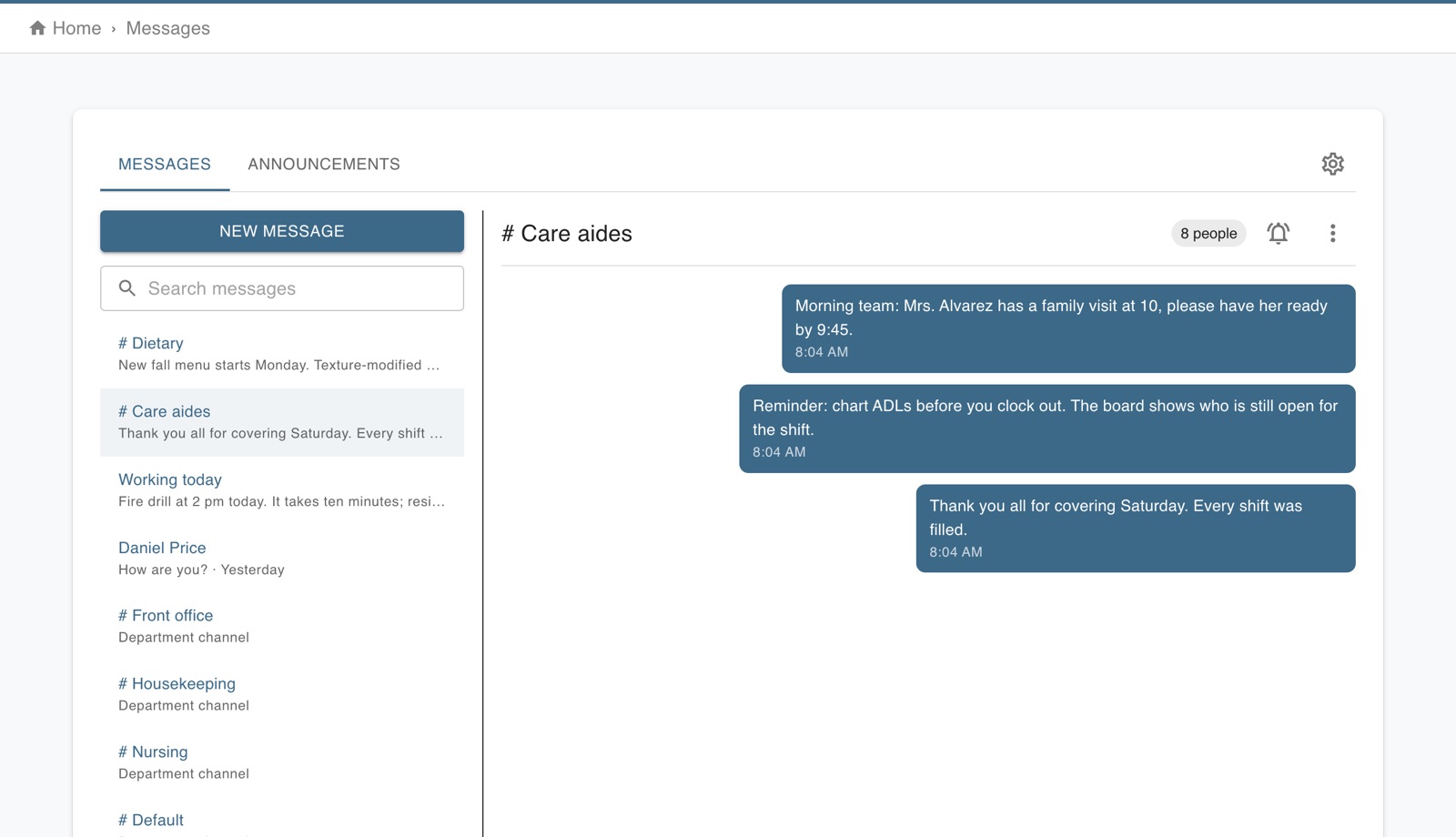
Everyone you need to reach, already sorted
Worktrim knows your departments and your schedule, so the right people are a click away.
One to one
A private conversation with a coworker or a manager, on the web or in the app.
Department channels
Every department has its own channel, and people join it when they join the department.
Groups from the schedule
Message everyone working today, everyone on a shift or everyone in a position, straight from who is scheduled.
Named groups
Managers build a group for a project, a site or a team and name it.
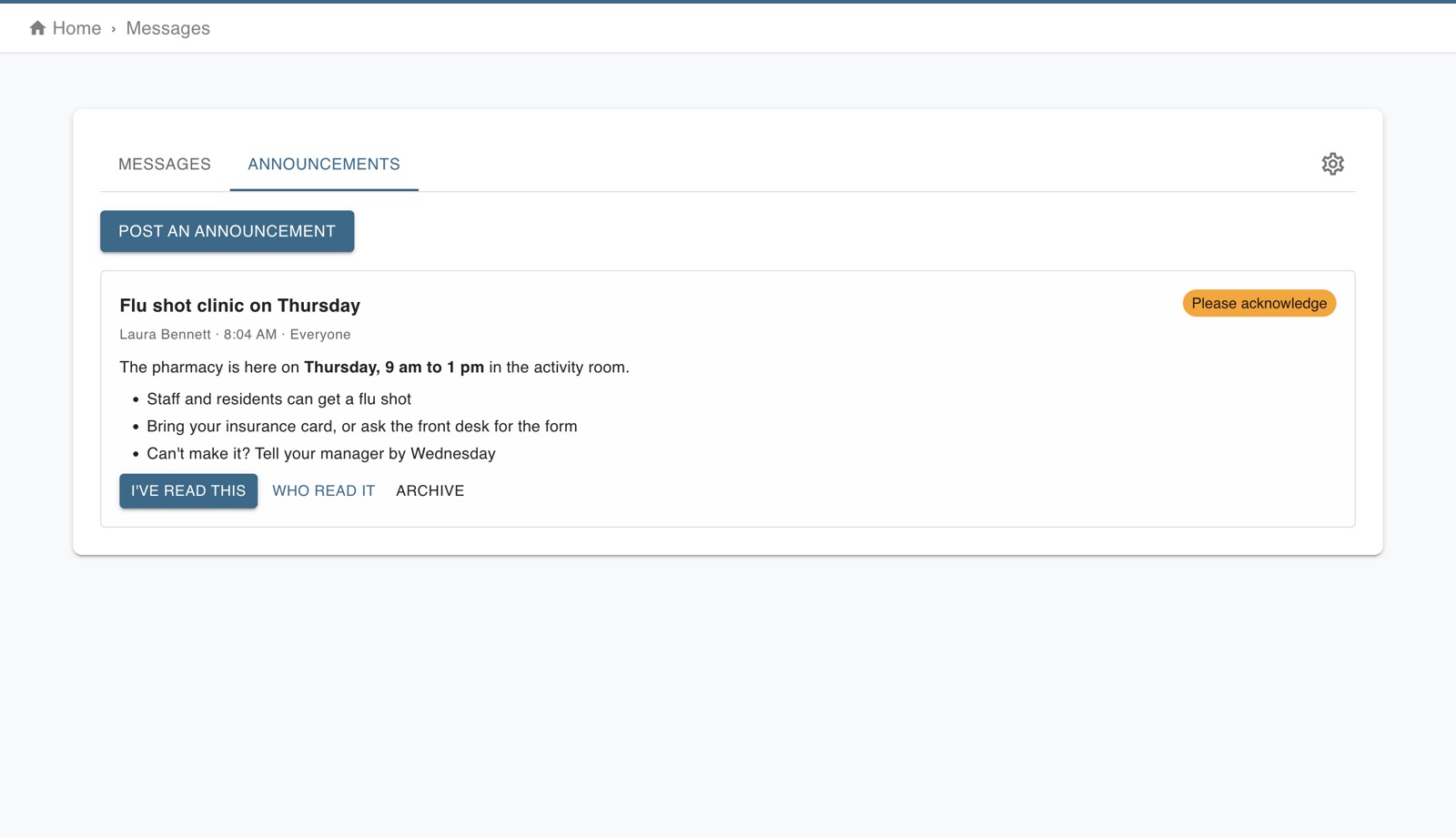
Know who actually read it
Post a policy change, a holiday schedule or a safety notice to everyone, one department or the people on the schedule that day. Write it with headings, bold, lists and links, and attach the menu, the flyer or the PDF.
- Ask people to confirm they've read it, then see who has, who hasn't and when
- People without the app get it by email, so nobody is missed
- Anyone who hasn't confirmed after a day gets one reminder
- The phone app opens the announcement straight from the notification
The everyday things chat needs to do
Built for a team that is on its feet, not at a desk.
Photos and files
Send a photo from the phone's camera, or attach a PDF, a spreadsheet or a screenshot on the web.
Replies and reactions
Answer a specific message, or acknowledge it with a quick reaction instead of another "ok".
Live, with notifications
New messages appear as they arrive, and the phone app notifies people and opens the right conversation.
Search
Find what was said, in any conversation you are part of.
Mute and quiet hours
Mute a busy conversation. Set company quiet hours so nobody's phone buzzes about work at night.
No personal numbers
Staff talk through Worktrim, so nobody has to hand out their phone number to a coworker.
The owner stays in control
Chat in a group text has no rules and no record. Chat in Worktrim has both.
Who may message whom
Let anyone message anyone, let staff message only managers, or turn direct messages off and keep to department channels and announcements.
Remove what shouldn't be there
An administrator can take down any message; everyone sees it was removed by an administrator.
Keep, or delete on a schedule
Keep messages, or have them deleted after 90 days up to 3 years, with their photos and files.
Export a conversation
Download any conversation as a spreadsheet when you need a record of it. Every export is logged.