Hours you can trust before you pay them
Staff clock in from the right place, as themselves, on their phone or a shared kiosk. You see who is in right now, catch problems the same day, and approve a pay period in one pass.
Included in Basic • 30-day free trial • No credit card required
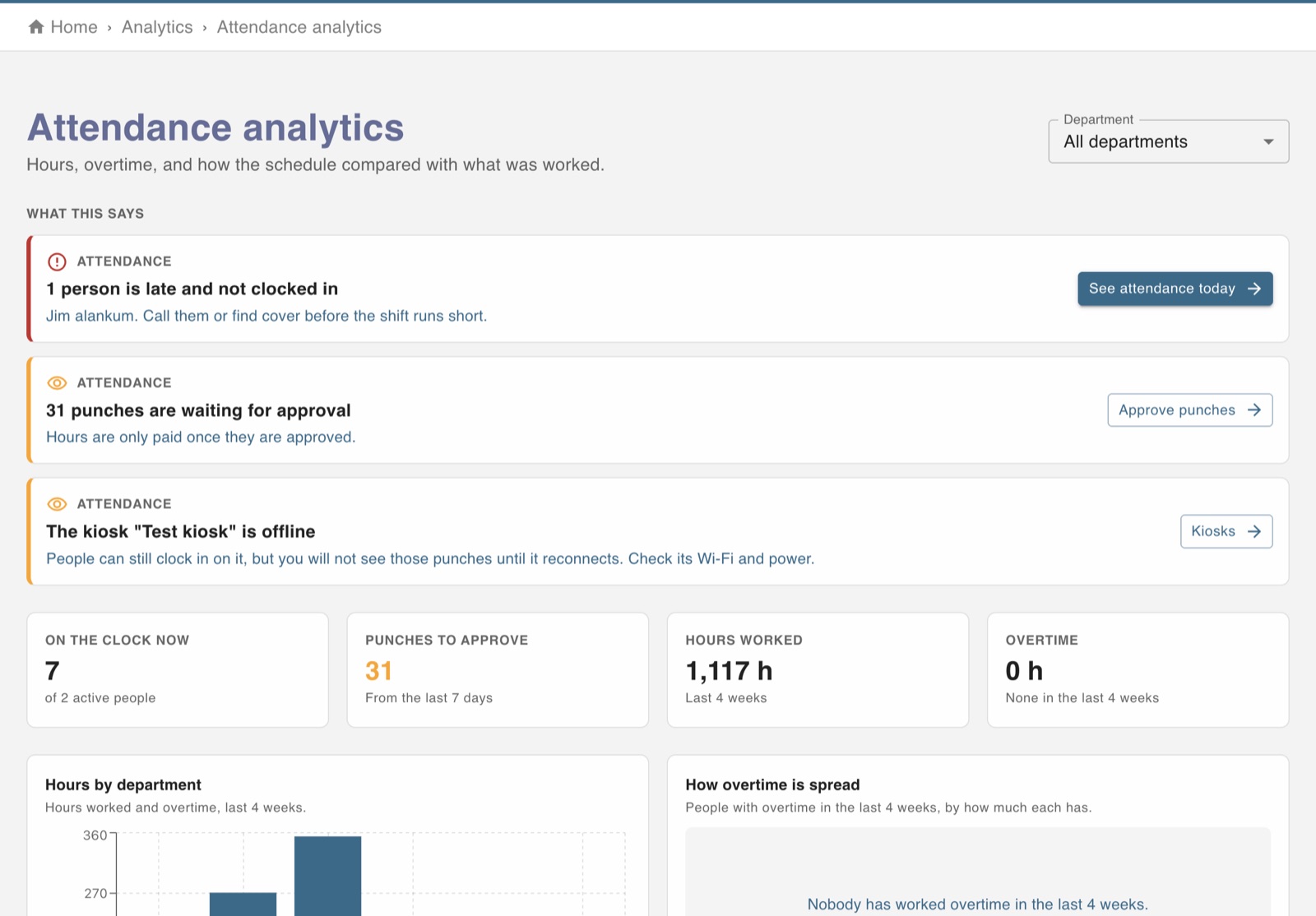
Every way your team clocks in, checked
Phones, a shared tablet, or a time-capture device, all feeding the same timesheet.
GPS geofences
Draw a clock-in area around each work location. A punch from outside it is not accepted.
Photo at clock-in
The free app can take a photo at each punch, which puts an end to clocking in for a friend.
Kiosk time clock
Any tablet becomes a shared clock with staff PINs. It keeps working offline and uploads punches when it reconnects.
Breaks, rounding and auto clock-out
Your break and rounding rules applied to every punch, and a forgotten clock-out closed automatically.
Live attendance board
Who is on the clock, on a break, late or expected later, across every department.
Pay-period approvals
Review a whole pay period in one pass, and let staff confirm their own hours before payroll runs.
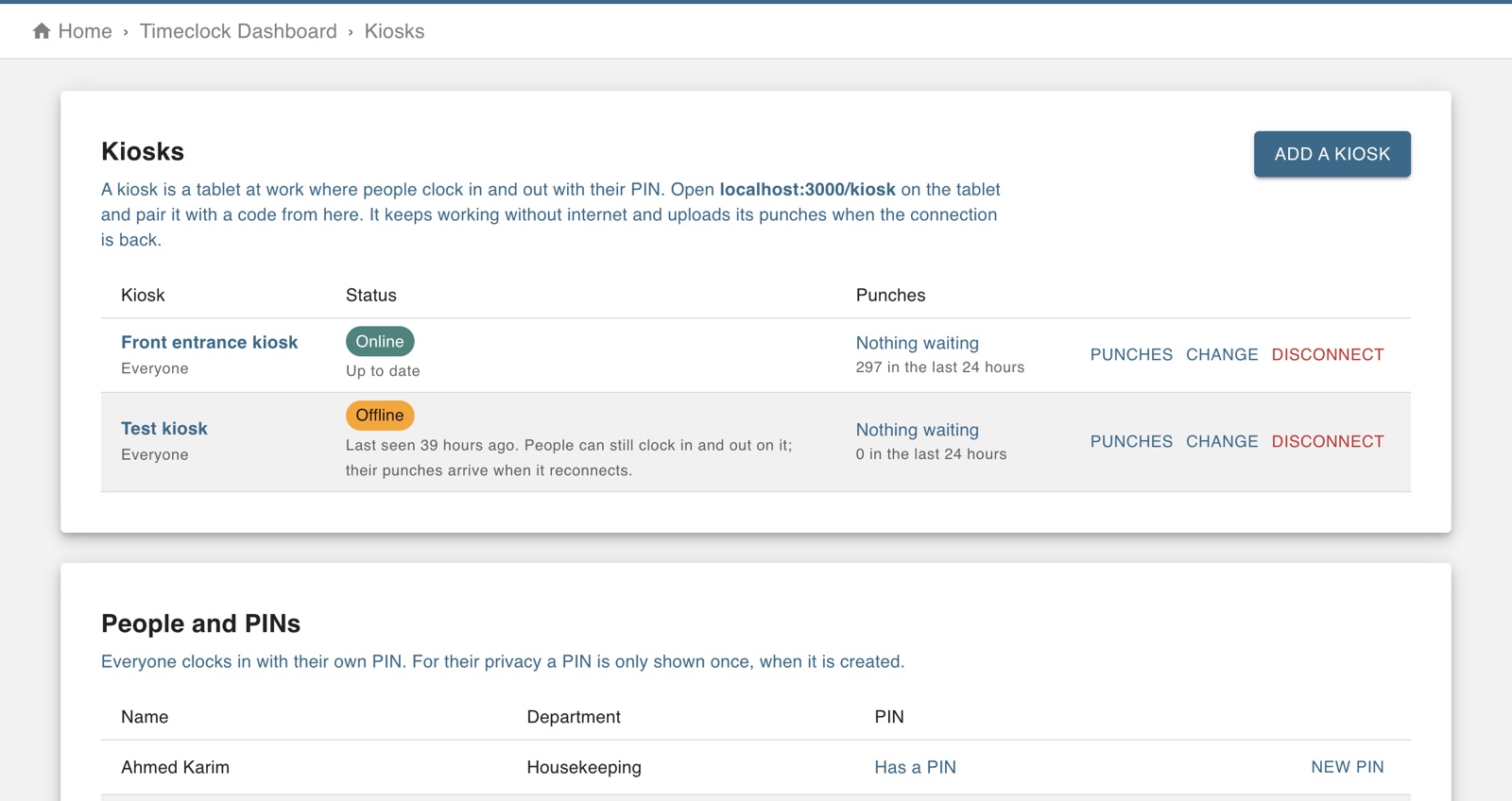
A time clock on any tablet
Pair a tablet with a code, mount it by the door, and staff clock in with their own PIN. If the Wi-Fi drops, the kiosk keeps taking punches and sends them when it is back online.
- Pair in a minute with a one-time code
- Each person has their own PIN
- Offline status shown on your dashboard
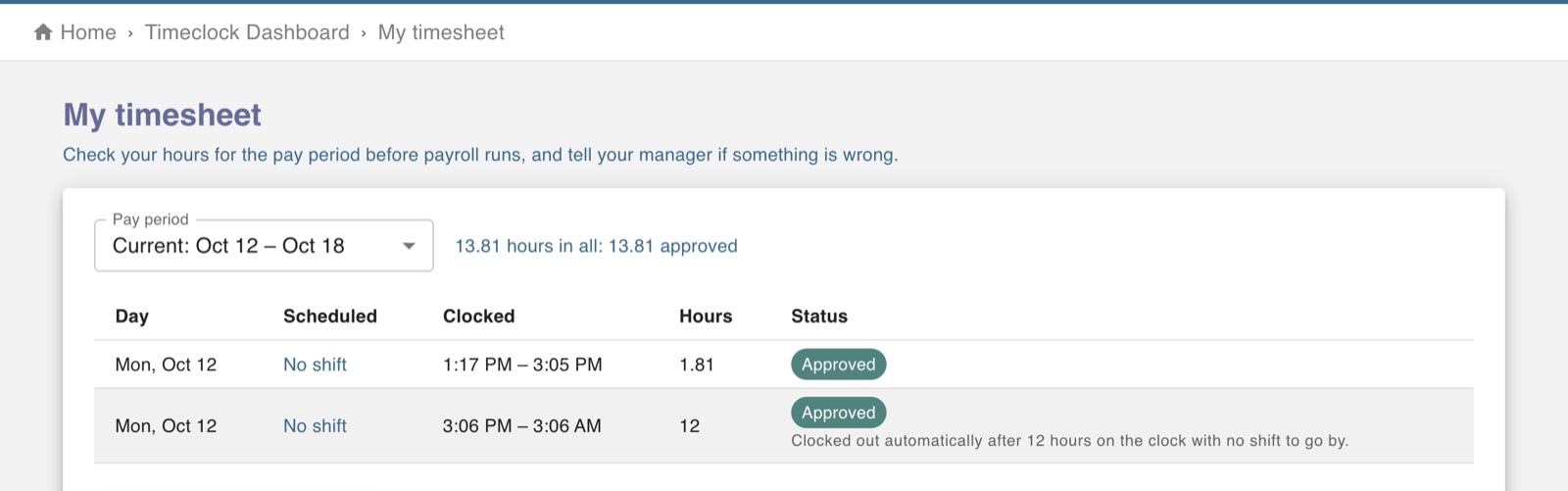
Staff confirm their hours before you pay them
Each person sees the pay period's punches next to their schedule and either confirms them or says something is wrong, so disputes are settled before payroll, not after.
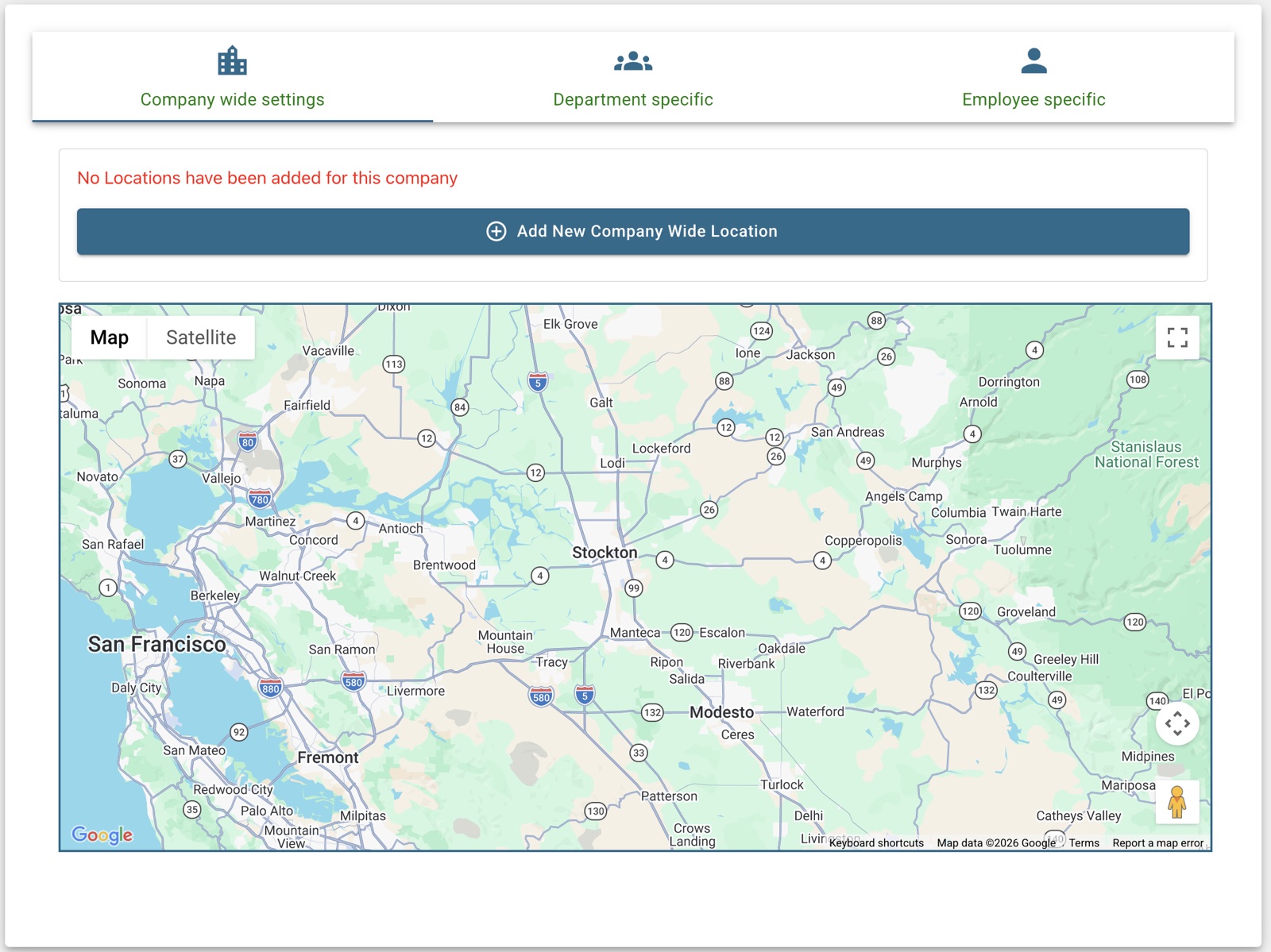
Clock-ins from where the work is
Add each location you run and set the radius. Staff can clock in from the app only inside it, and every punch keeps its location for later.
Time clock questions
One login for the rest of the job
Every module shares the same people, departments and hours, so nothing is typed twice.