Invoices
Watch it in Worktrim. Open as an animated GIF to share it.
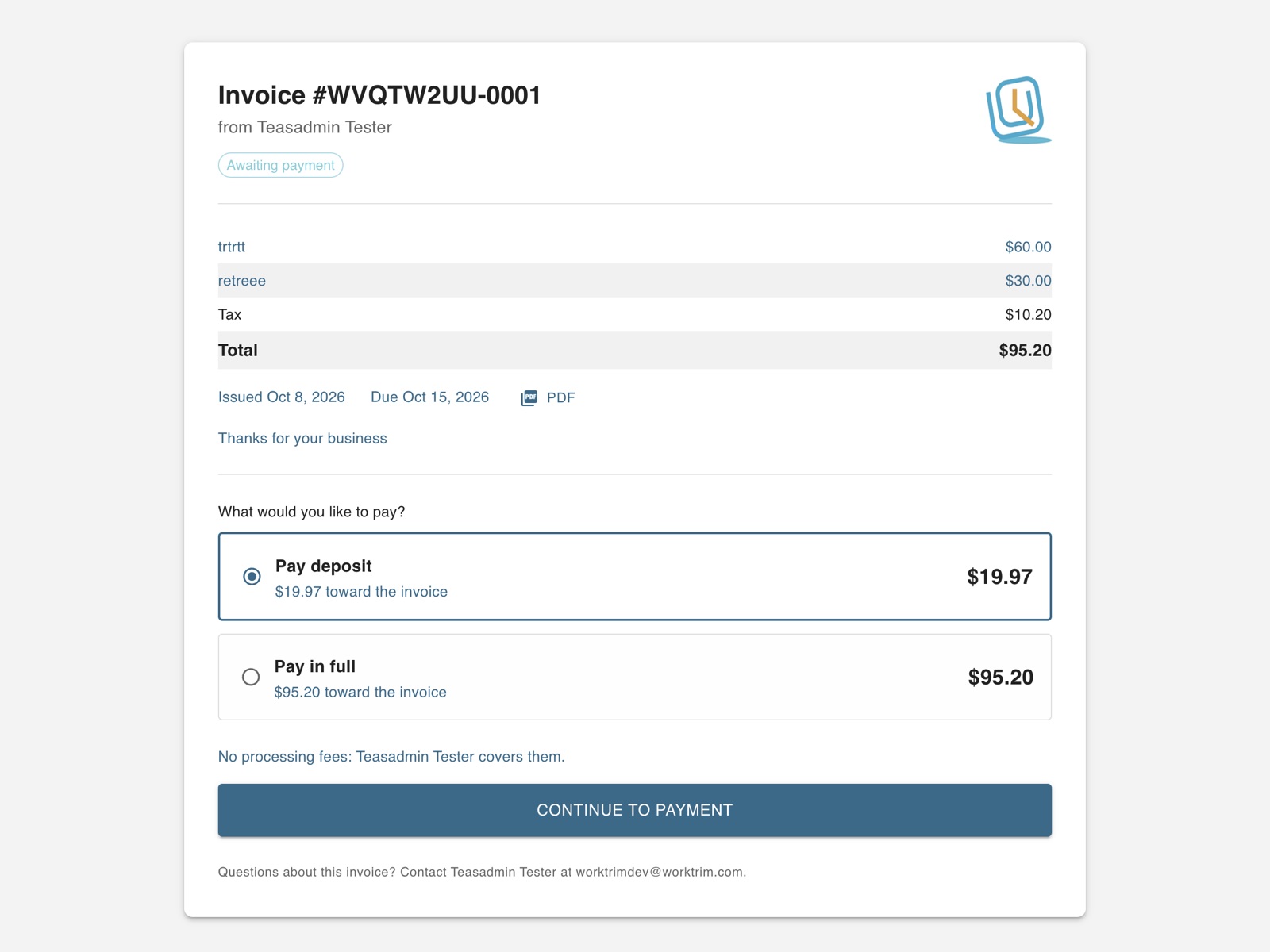
The screen in Worktrim.
What your customer sees when they pay
Your customer opens a secure link, sees the invoice and pays online; nobody needs a Worktrim account.
Steps
- When you send an invoice, your customer gets an email from Worktrim with a button to view and pay it. Reminders carry the same link.
- The page shows your logo, the invoice and what is due. If you asked for a deposit, they can pay that first.
- They pay by card, Apple Pay, Google Pay or bank (ACH), whichever your account accepts. Bank details can also be typed in by hand.
- If they pay the processing fee, the fee for each way of paying is shown first, and they tick a box to agree to it before Pay is switched on.
- They can also choose to send the money themselves by bank transfer or wire; the page shows the account and the reference to use.
- Use Preview as customer on the invoice form to see the page exactly as they will.
Was this guide helpful?
Thank you.
Sorry it did not help. Tell us what was missing and we will improve it.
Still stuck?
Email [email protected] or send us a message. The people who build Worktrim answer.
Contact us