Scheduling that actually works
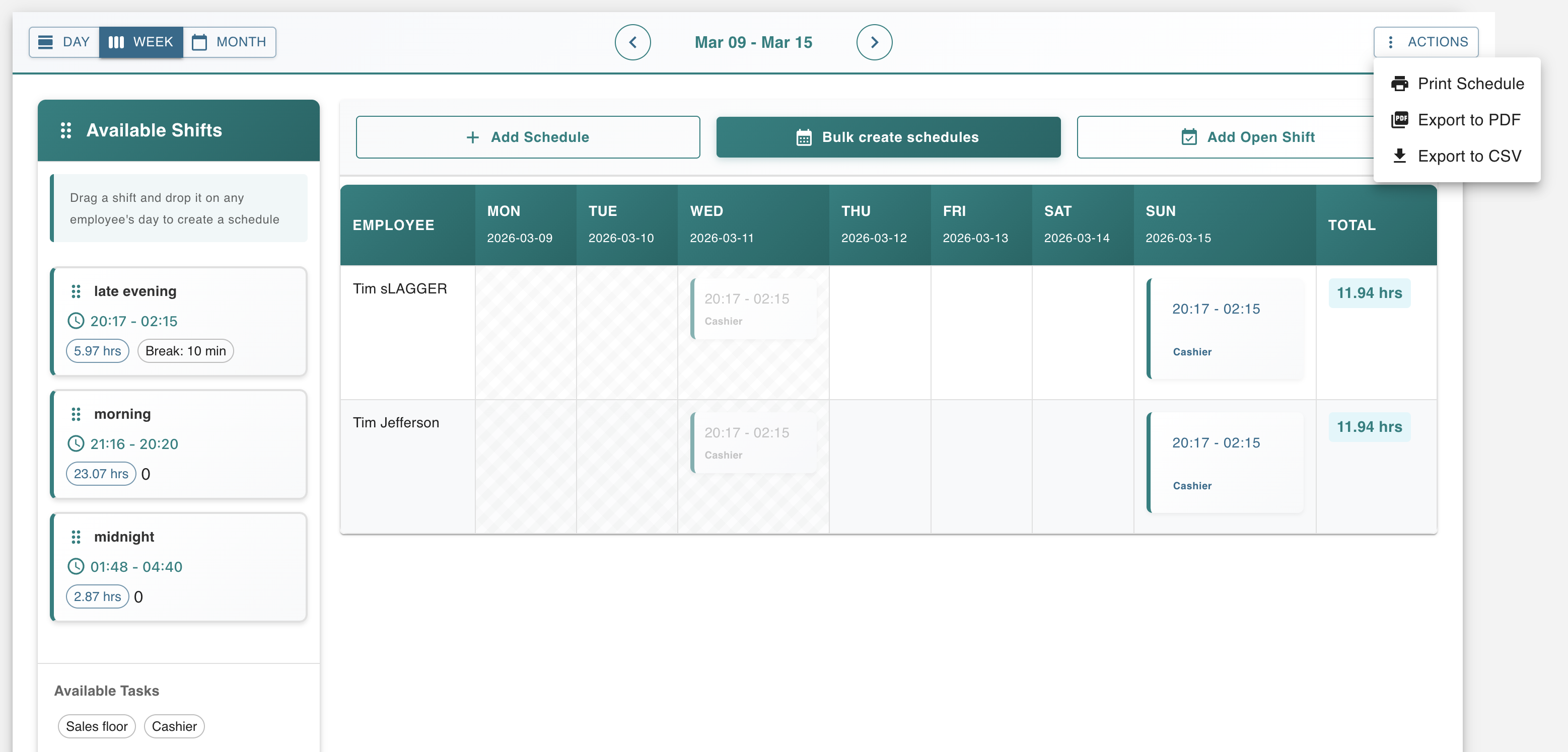
Create schedules in minutes with intuitive drag-and-drop functionality. Manage shift swaps, open shift requests, and surface overtime violations automatically before you publish a schedule.
Powerful Scheduling Features
Everything you need to schedule your team efficiently
Drag-and-Drop Schedule Creation
Create weekly schedules in minutes, not hours. Simply drag employee names to shift slots. Use shift templates and patterns to speed up recurring schedules. No typing required!
- Intuitive drag-and-drop interface
- Shift templates & patterns
- Copy previous week schedules
Shift Swap & Open Shifts
Empower employees to request shift swaps with coworkers. Post open shifts that qualified employees can claim. Approve or deny requests with one click from your mobile device.
- Employee-initiated shift swaps
- Open shift marketplace
- One-click approvals
Automatic Conflict Detection
Worktrim automatically detects and highlights scheduling conflicts including double bookings, overlapping shifts, and availability conflicts. Prevent mistakes before they happen.
- Double-booking prevention
- Availability conflict alerts
- Overlapping shift detection
Overtime Tracking & Alerts
Set maximum hours per week for each employee. Get automatic alerts when scheduling approaches or exceeds overtime thresholds. Control labor costs before they happen.
- Max hours per week settings
- Overtime threshold alerts
- Labor cost forecasting
Multi-Department Scheduling
Manage schedules across multiple departments, locations, or job roles. Assign employees to departments and create role-specific schedules all in one system.
- Unlimited departments
- Department-based permissions
- Cross-department visibility
Mobile Schedule Access
Employees view their schedules anytime from our free mobile apps. Get automatic notifications for schedule changes, shift reminders, and shift swap approvals.
- Free iOS & Android apps
- Push notifications
- Calendar integration
Why Choose Worktrim Scheduling?
Measurable results for your business
& Drop Builder
Build schedules by dragging shifts into place
Conflict Detection
Overlaps and overtime flagged before you publish
Service Shift Swaps
Staff request swaps and open shifts; managers approve
Schedule Access
Published schedules appear on staff phones
How It Works
Start scheduling in three simple steps
Set Up Your Team
Add employees, departments, and shift templates. Set employee availability, max hours, and scheduling preferences in minutes.
Create Your Schedule
Use drag-and-drop to assign shifts. Worktrim automatically detects conflicts and provides suggestions based on availability and qualifications.
Publish & Manage
Publish schedules with one click. Employees get instant notifications. Manage changes, shift swaps, and time-off requests from anywhere.
See It In Action
Intuitive interface that makes scheduling easy
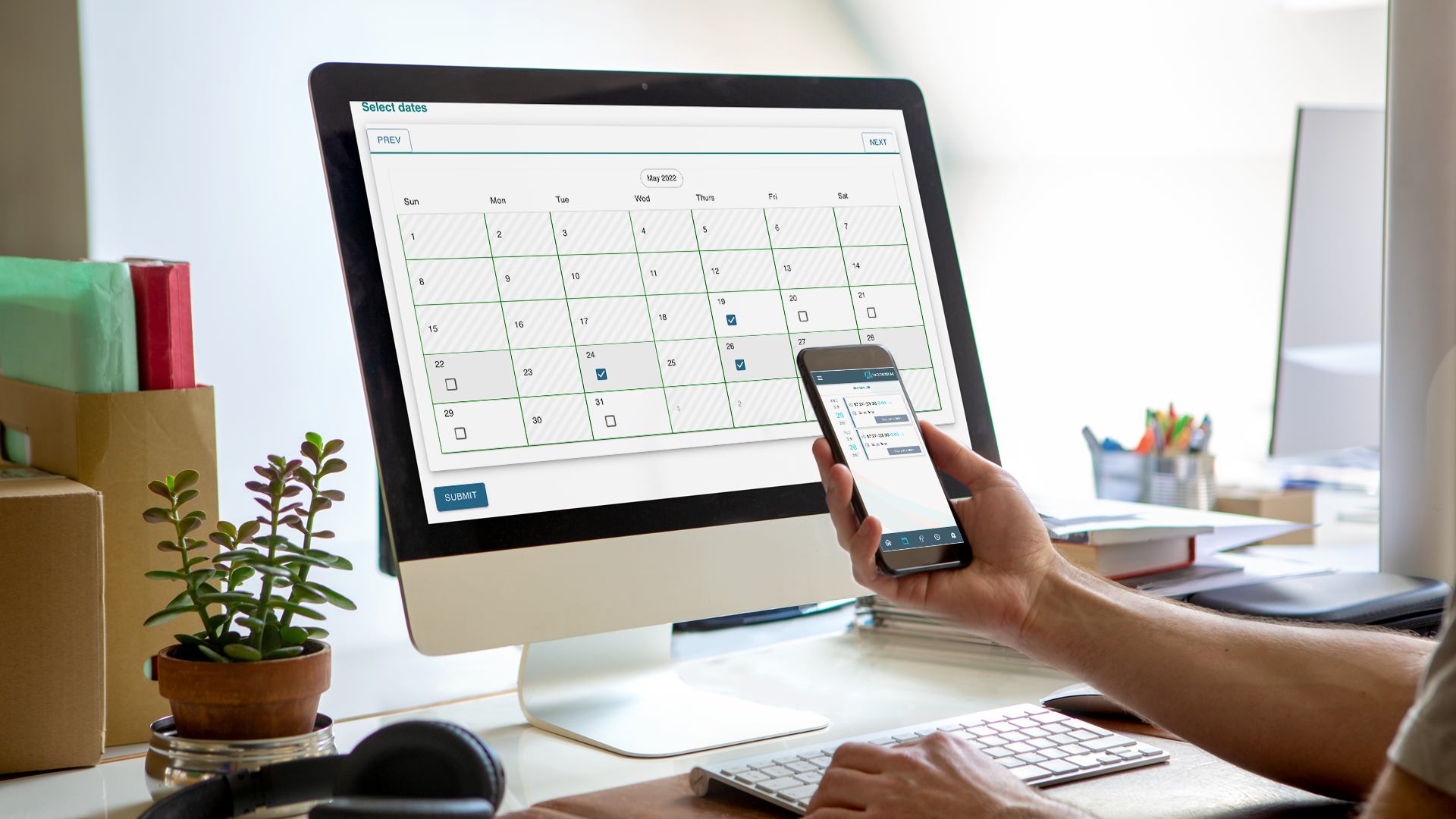
Drag-and-drop scheduling interface
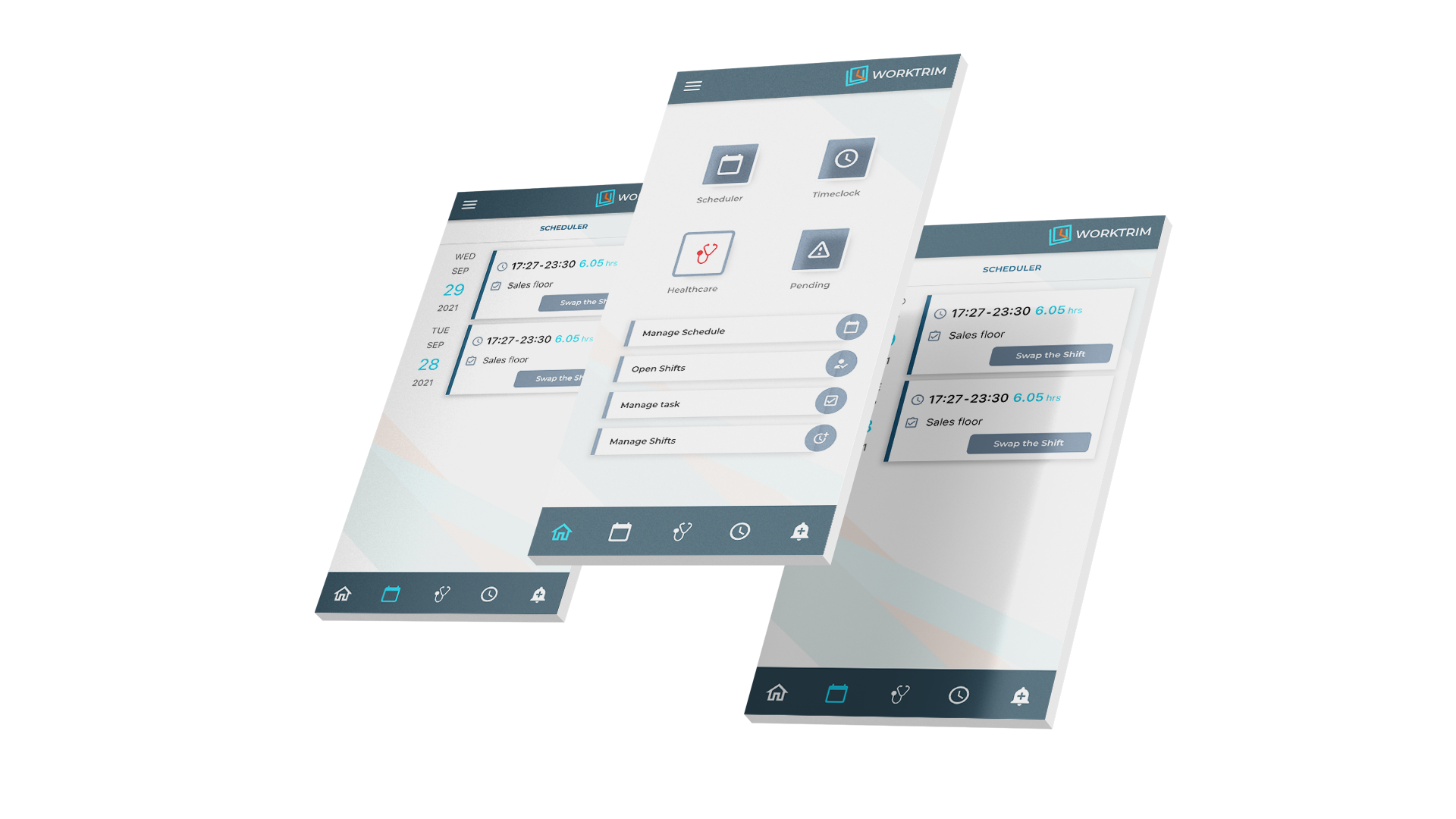
Mobile schedule management
Ready to Simplify Scheduling?
Start a 30-day trial and build next week's schedule in Worktrim alongside your current process, and empower their teams with mobile access.
- Create schedules in minutes - Not hours
- Conflict detection - Overlaps and overtime flagged automatically
- Free mobile apps - iOS and Android
- 30-day free trial - No credit card required
Start Scheduling Smarter Today
No credit card required • Setup in minutes • Cancel anytime